What does a NFT have on blockchain ?
Minting / transaction records, the NFT collection name, and the link to the metadata.
How many NFT can we have in one NFT contract ?
As many as you want, given that you have the valid JSON ready. Each NFT contract creates a NFT collection. Each NFT is defined by an tokenID. You can view a NFT by inserting the contract address and tokenID.
What does a NFT have on the centralized server ?
Nearly everything you can see visually. They are all defined in the metadata, and the image is also hosted inside the centralized server / IPFS.
How the metadata defined ?
Metadata is a JSON file. Let us use this NFT as an example:
Chinese Zodiac #0000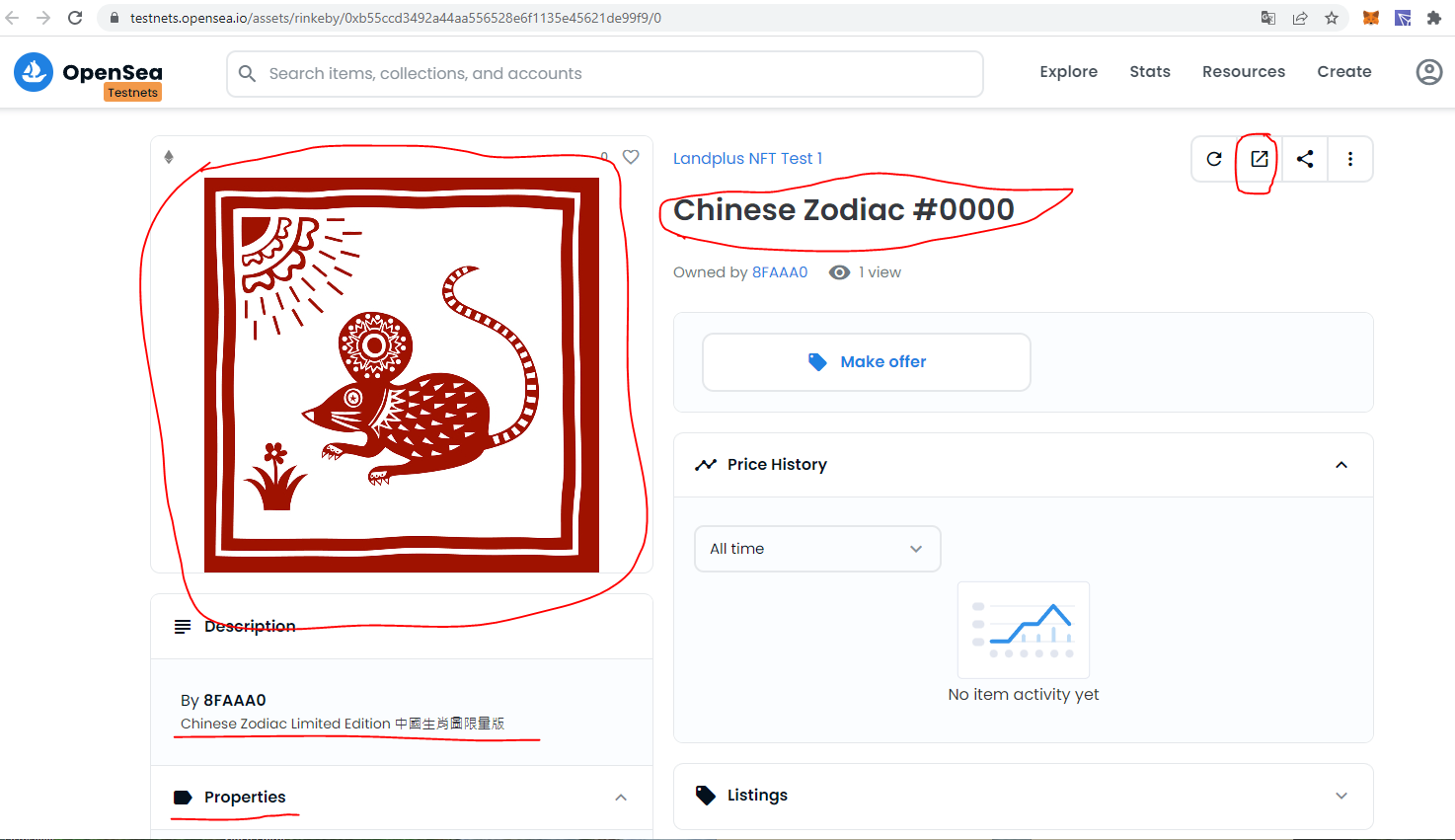
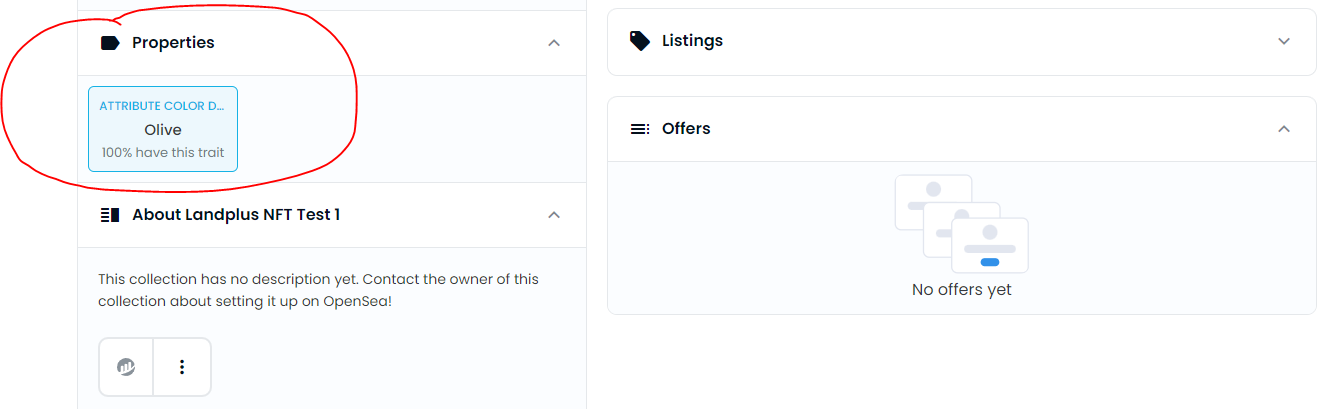
In this NFT, you can see the name, image, description, properties and a URL to external site. They are defined in metadata in this way:
NFT #0000 metadata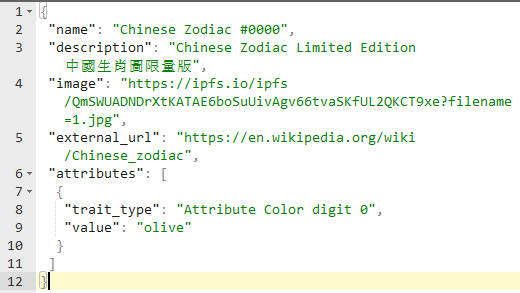
How do we change the NFT metadata ?
If you would like to replace the image, upload the new image to a place and save the link (It can be centralized server or IPFS). Create a new JSON file and upload to the metadata place. (Inside uploads/ folder of the FTP site).
The folder structure is like the following. For a NFT collection, item 0 will read the file 0, item 1 will read the file 1......
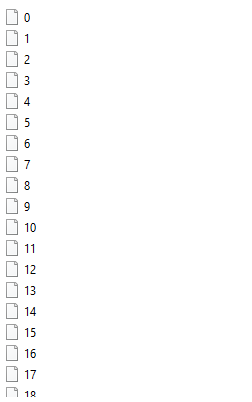
Can we change the metadata hosting place ? Or even host it on IPFS?
Yes, you can. Just make sure the folder structure follows the above example, and change the baseURL of the NFT contract (using the setBaseURI function).
The first base URL is https://www.authpaperlandplus.a2hosted.com/uploads/
If you are using IPFS to host matadata, please upload the folder all at once to make sure folder structure preserve. Please be reminded that once you put something on IPFS, it cannot be changed. You can only upload a new version and replace baseURI.